

The CSS math functions allow mathematical expressions to be used as property values. Here, we will explain the calc(), max() and min() functions.
The calc() Function
The calc() function performs a calculation to be used as the property value.
CSS Syntax
calc(expression)
| Value | Description |
|---|---|
| expression | Required. A mathematical expression. The result will be used as the value. The following operators can be used: + – * / |
Let us look at an example:
Example
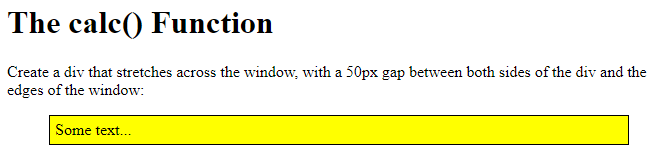
Use calc() to calculate the width of a <div> element:
<!DOCTYPE html>
<html>
<head>
<style>
#div1 {
  position: absolute;
  left: 50px;
  width: calc(100% - 100px);
  border: 1px solid black;
  background-color: yellow;
  padding: 5px;
}
</style>
</head>
<body>
<h1>The calc() Function</h1>
<p>Create a div that stretches across the window, with a 50px gap between both sides of the div and the edges of the window:</p>
<div id="div1">Some text...</div>
</body>
</html>
Result:
The max() Function
The max() function uses the largest value, from a comma-separated list of values, as the property value.
CSS Syntax
max(value1, value2, …)
| Value | Description |
|---|---|
| value1, value2, … | Required. A list of comma-separated values – where the largest value is chosen |
Let us look at an example:
Example
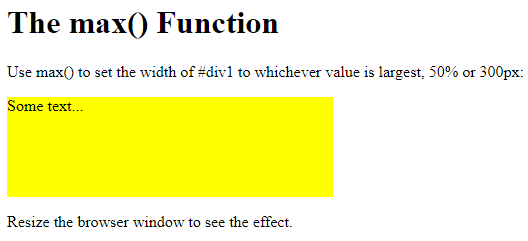
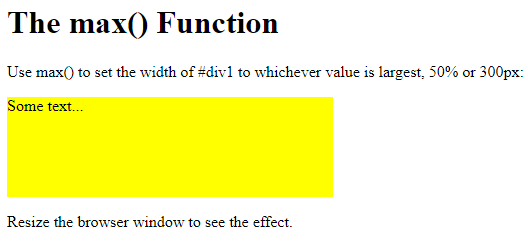
Use max() to set the width of #div1 to whichever value is largest, 50% or 300px:
<!DOCTYPE html>
<html>
<head>
<style>
#div1 {
  background-color: yellow;
  height: 100px;
  width: max(50%, 300px);
}
</style>
</head>
<body>
<h1>The max() Function</h1>
<p>Use max() to set the width of #div1 to whichever value is largest, 50% or 300px:</p>
<div id="div1">Some text...</div>
<p>Resize the browser window to see the effect.</p>
</body>
</html>
Result:
The min() Function
The min() function uses the smallest value, from a comma-separated list of values, as the property value.
CSS Syntax
min(value1, value2, …)
| Value | Description |
|---|---|
| value1, value2, … | Required. A list of comma-separated values – where the smallest value is chosen |
Let us look at an example:
Example
Use min() to set the width of #div1 to whichever value is smallest, 50% or 300px:
<!DOCTYPE html>
<html>
<head>
<style>
#div1 {
  background-color: yellow;
  height: 100px;
  width: min(50%, 300px);
}
</style>
</head>
<body>
<h1>The min() Function</h1>
<p>Use min() to set the width of #div1 to whichever value is smallest, 50% or 300px:</p>
<div id="div1">Some text...</div>
<p>Resize the browser window to see the effect.</p>
</body>
</html>
Result: